
Engineering & CAD
CadCraft™
Eight free, open-source CAD and BIM apps for drafting, modeling, BIM review, quantity takeoff and specialized design work
CadCraft™ is a suite of eight free, open-source CAD and BIM applications that run in the browser and desktop (Windows, macOS, Linux). Each app is designed for
About this launch
CadCraft™ is a family of eight open-source CAD and BIM applications built to work offline on local files in open formats such as DWG, DXF and IFC. Each app serves a specific function: CadCraft™ handles 2D drafting and 3D modeling; BimCraft provides BIM review and editing; ModelCraft supports 3D modeling for design; MarkupCraft enables drawing review and markup; TakeoffCraft performs quantity takeoff and estimating; CivilCraft addresses civil and site design; DetailCraft handles steel and rebar detailing; and PartCraft manages parametric parts and assemblies.
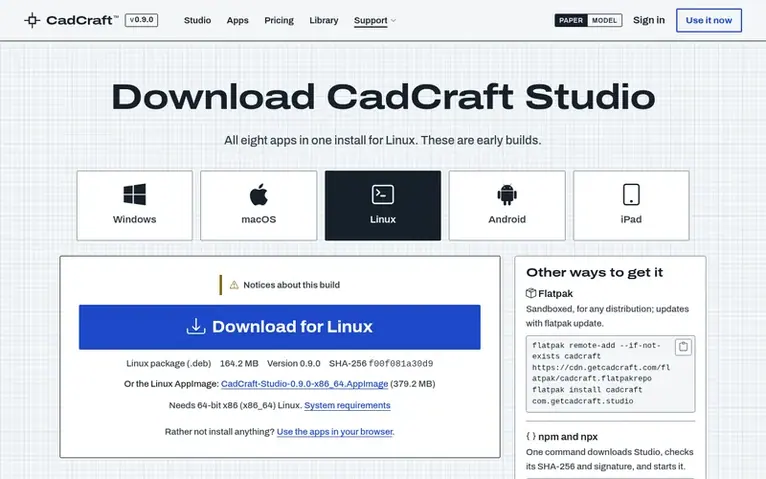
The apps are available as early builds in any modern web browser at getcadcraft.com/use, with no installation or upload required. They also download as CadCraft™ Studio for Windows, macOS and Linux, with an Android APK for mobile devices. Every app and feature is free to use under Community, with no license required. An owned license can be purchased once for any amount, and a Team Cloud Plan provides cloud storage, sync and version history at $35 per month per seat.
The applications are designed to feel familiar to users of mainstream CAD tools: CadCraft™'s command line and workflow parallel AutoCAD; BimCraft targets the IFC 4 standard used by Revit; ModelCraft imports SketchUp files; MarkupCraft functions like Bluebeam; TakeoffCraft resembles PlanSwift; CivilCraft aligns with Civil 3D; DetailCraft parallels Tekla; and PartCraft works similarly to Fusion or SolidWorks. All source code is open under a specified open-source license, and files remain in users' control on their own machines.
Stops along the way
- 2D drafting and 3D modeling in the CadCraft app
- BIM review and editing with BimCraft
- DWG and DXF support with native reader and writer
- IFC 4 format support for BIM interoperability
- SketchUp .skp import with components, materials and textures
- Cloud saving, sync and version history with Team Cloud Plan
- 1 TB encrypted cloud storage per seat
- Offline desktop apps for Windows, macOS and Linux
- Library of ready-made parts and blocks for placement
- 73 languages available in Settings including English
Pricing
Community: Free. Owned license: Pay what you want (suggested $25, $50 or $100), one-time payment. Team Cloud Plan: $35 per month per seat (annual pricing gets two months free). Cloud storage standalone: $15 per month for 1 TB. Big disk packages: 10 TB for $1,080/year, 50 TB for $5,100/year, 100 TB f
Follow CadCraft™ for an email about each milestone, update and new product they post, in a daily summary.
CadCraft™ metrics
Route stats for getcadcraft.com: Ahrefs Domain Rating and Majestic link data, with the change since the previous stop.
- Domain Rating
- 15
- −2 (down) since last check
- Trust Flow
- 11
- no change since last check
- Citation Flow
- 15
- no change since last check
- Referring domains
- 17
- no change since last check
- External backlinks
- 218
- no change since last check
Ahrefs Domain Rating stop 16 Nov 2026, route changed 15 Nov 2026. Main route topic: News/Media Industry (11). Majestic stop 9 Nov 2026, route changed 9 Nov 2026. Majestic maps the link data. Trust Flow, Citation Flow and Topical Trust Flow are trademarks of Majestic-12 Ltd.
CadCraft™: the address it lives at
See the address details
We read this from the registry's RDAP record on 15 Nov 2026, 18:24 UTC.
- Domain age
- 1 month
- Registered
- Expires
- Registrar
- NameCheap, Inc.
- DNSSEC
- Not signed
CadCraft™: the road since launch
What we have measured for CadCraft™ since it went live on Nexvia Launch on 9 November 2026.
- Domain Rating (Ahrefs)
- 15 −4 (down) since launch
- 19 at launch (9 Nov 2026), 15 on 15 Nov 2026
- Trust Flow (Majestic)
- 11
- First measured 9 Nov 2026
- Referring domains (Majestic)
- 17
- First measured 9 Nov 2026
Day 6 since launch. Next receipt: day 30, 9 Dec 2026. What the readings say, nothing more: a rise or fall here is not proof of its cause. We leave out anything we have not measured.
Your launch, step by step
Plan your launch with our free playbook, from preparing your listing to choosing more launch directories.
- Groundwork
- The day itself
- Rest of the week
- Beyond launch
Compare and explore
See the alternatives to CadCraft™, more in Engineering & CAD.
Questions on the route
- Is CadCraft™ a clone of AutoCAD?
- No. CadCraft™ is an independent family of tools written from scratch. The CadCraft™ drafting app is designed so that if you draft in AutoCAD, the command line, aliases and layer workflow will feel familiar, but it shares no code, artwork or branding with any Autodesk product.
- Will it open my DWG files?
- Yes. The CadCraft™ app opens and saves DWG and DXF with its own reader and writer, and BimCraft shows DWG and DXF drawings too. DWG files from AutoCAD R12 and older do not open yet. These are early builds, so you should test a copy of your own drawings in the browser at getcadcraft.com/use before trusting a live project to one.
- What about Revit files (.rvt)?
- RVT is a proprietary format with no public specification, so CadCraft™ cannot promise to open it. BimCraft targets IFC 4, the open BIM standard that Revit and most other BIM tools export. Exporting IFC from your current tool is the way to bring work across.
- Will it open my SketchUp files?
- Yes, in ModelCraft: it imports SketchUp .skp models with their components, groups, materials, textures and tags, alongside glTF, OBJ, DAE and DWG/DXF. SKP has no public specification, so ModelCraft reads it with its own reader and keeps your work in open formats.
- Can I use my license on more than one device?
- Yes, on as many devices as you like, and at the same time: your desktop, your laptop, a tablet and the browser can all be signed in at once. You never have to sign out on one to sign in on another. That goes for an owned license and for a Team Cloud Plan seat.
Leave a review for CadCraft™
No reviews of CadCraft™ at this stop yet. Leave the first. Reviews are free here. Payment cannot buy one.
CadCraft™ has a free listing. The owner can unlock the full profile with a paid launch for $5:
- Founder story (locked)
- Milestones (locked)
- Demo video (locked)
- Dofollow website link (locked)